
WordPress backups are safely stored
Safehold backs up, restores, and migrates your site to another server using a single .wpress file. Backups are stored outside the web root; even someone who knows the filename cannot download them. It also restores backups created by All-in-One WP Migration.
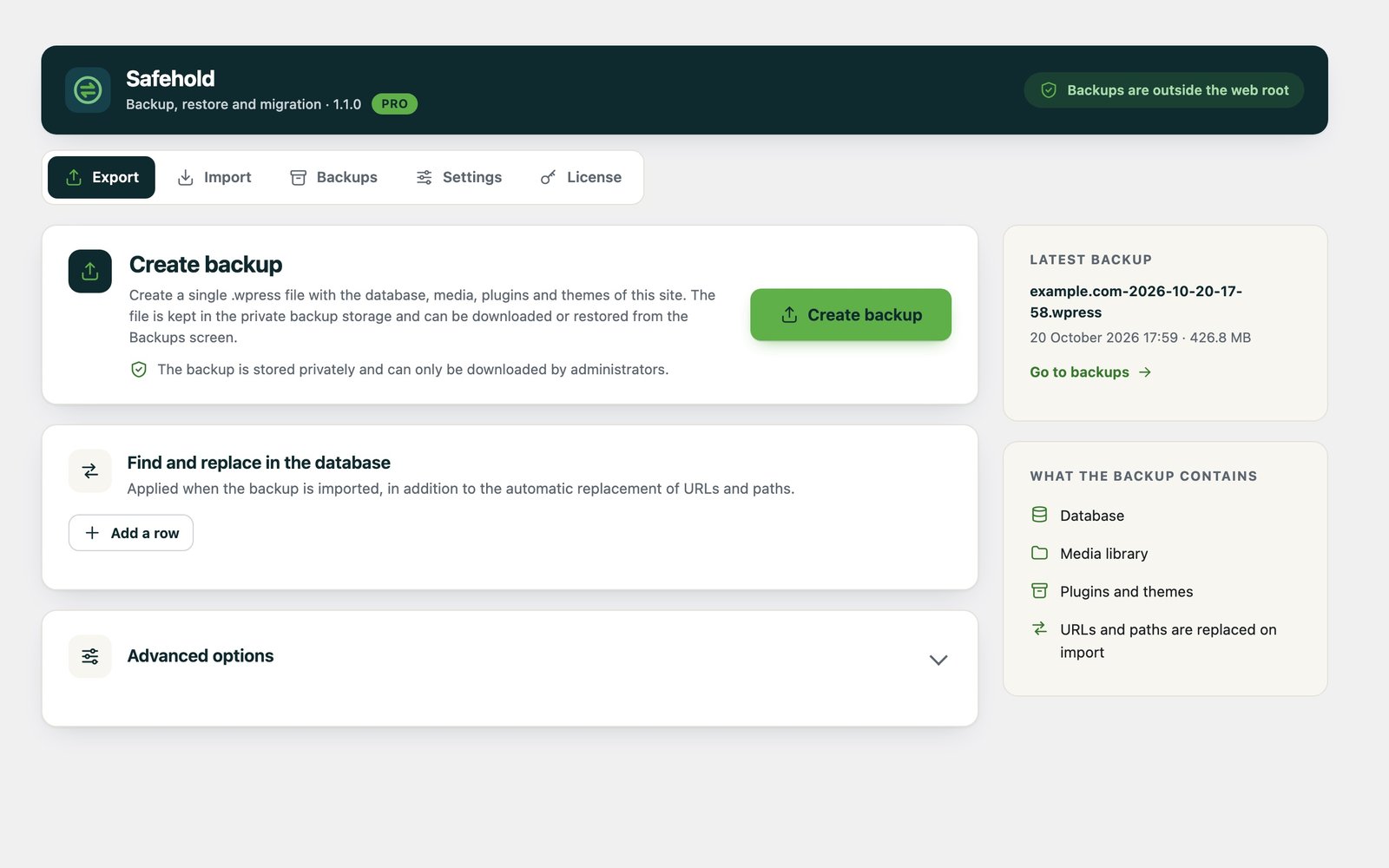
Don't let your backup be the weakest link in your site
Most migration plugins place the backup in a publicly accessible folder. Anyone who can guess the file name can download your database, user data, and customer information. Safehold prevents this from happening in the first place.
Off-site storage
Backups, work files, and logs are kept outside the site's publicly accessible folders, and this is tested with every installation.
Sole Manager
Every operation requires an administrator session. Downloads can only be performed from the administrator panel; there is no public download link.
No changes without approval
The imported file is verified first. Nothing on the site will change until you approve it; if there is an error, the site will remain as it was.
Protected against malicious code
PHP files from the backup and dangerous configuration files are not restored to the media folder.
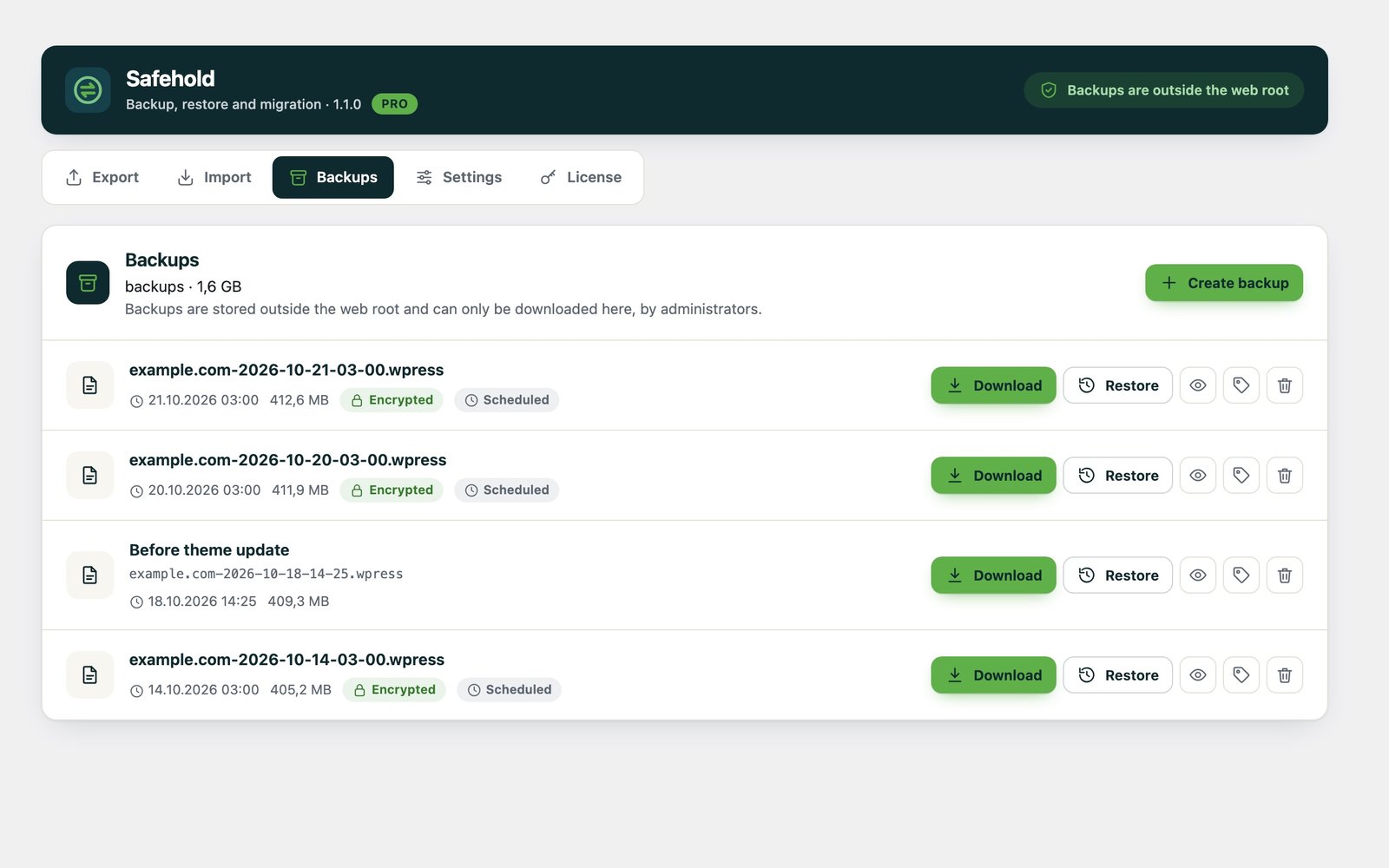
Back up, move, restore
Safehold’s core features work on every site. No additional steps are required to migrate from All-in-One WP Migration.
- Full backup in a single file: database, media, plugins, and themes.
- Automatic address change: When moving to a different domain name, links and paths are automatically updated.
- All-in-One WP Migration compatibility: It imports your backups (including encrypted ones) and moves your old backups to secure storage.
- It doesn't get stuck on large files: Spare parts are loaded one by one; the server's upload limit is not an issue.
- 8 languages: Turkish, English, German, French, Spanish, Italian, Portuguese, Dutch.
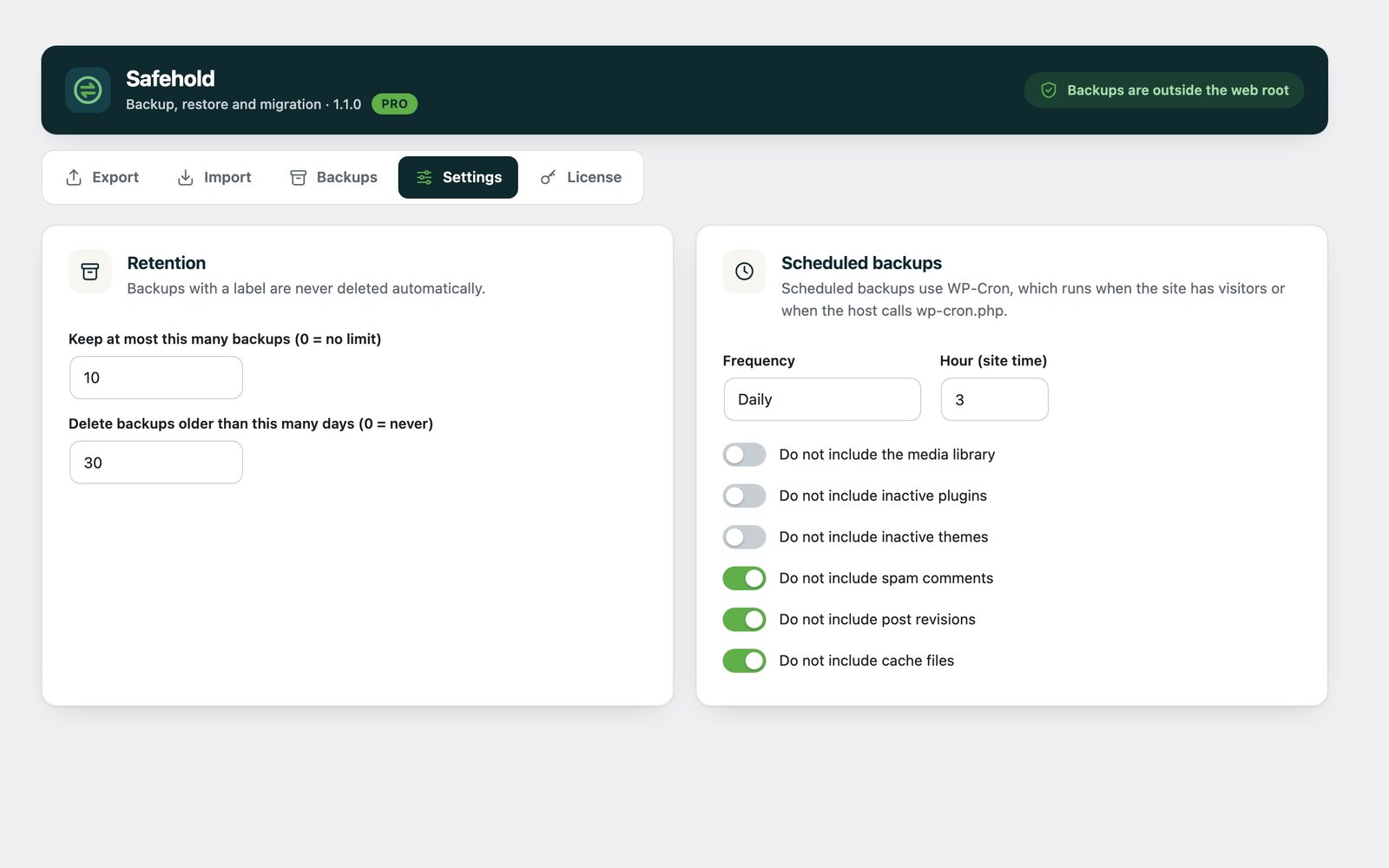
Forget the backups , Safehold remembers them
With Pro, backups are automatically taken, encrypted, compressed, and old ones are deleted.
- Scheduled backups: daily, weekly, or monthly—without you having to do anything.
- Sites of all sizes: It also imports and restores backups larger than 512 MB.
- Encrypted backups: AES-256-GCM; the file cannot be opened without a password.
- Compression and storage guidelines: smaller files; older backups are automatically deleted based on their number or age.
- View tags and content: Label the important backup, and check what's inside without opening it.
- Fine-Tuning and WP-CLI: Excluding individual tables and folders, backing up from the command line.
Start for free, upgrade to Pro
The Pro plan is for a single site, while the Unlimited plan is for as many sites as you want; both are valid for one year. Even after the term ends, your backups and free features will remain active.
Safehold
For each installation
- Backing up, downloading, restoring
- Import up to 512 MB
- All-in-One WP Migration backups
- Find and Replace in the Database
- Offline secure storage
- Plugin Updates
When you upgrade to Pro, the same plugin opens
Safehold Pro
1 website · 1 year · VAT included
- Everything in the free version
- Scheduled backups
- Import in any size
- Encrypted and compressed backups
- Automatic cleanup of old backups
- Tags and alternate content
- Excluding Tables/Folders, WP-CLI
Secure Payments with iyzico
Safehold Pro Unlimited
Unlimited website · 1 year · VAT included
- Everything in Safehold Pro
- Unlimited number of sites
- One key, one renewal
- Manage Websites from "My Account"
- For agencies and multi-site projects
Secure Payments with iyzico
Pro in Four Steps
Buy
Add Safehold Pro to your cart and pay securely with iyzico.
Download
The plugin file and license key are available in the order confirmation email and on the "My Account" page.
Set the exchange rate
In WordPress, go to Plugins > Add New > Upload Plugin to install and activate the file.
Enable
Go to the "Transfer > License" screen and enter the key; the Pro features will be enabled immediately.
The questions you have in mind
Frequently Asked Questions About Safehold and Safehold Pro.
Is your question not listed here?
Send me a message on WhatsApp; I’ll reply within minutes during business hours.
Ask on WhatsAppYes. Flat, compressed, and encrypted All-in-One WP Migration backups are imported. It also finds old backups left on the site and moves them to secure storage.
A Safehold Pro license is valid for one site, while a Safehold Pro Unlimited license is valid for as many sites as you want. If you switch sites, you can remove the old site from "My Account > Licenses" and activate the license on the new site.
Pro features will be disabled; your free features and all your backups will remain intact. When you renew under My Account > Licenses, Pro will resume where it left off.
Safehold updates appear on the Updates screen in the WordPress dashboard, just like other plugins; they can be installed with a single click.
No. Backups are stored only on your own server. Safehold connects to the outside only for updates and license verification; no backups or site content are transmitted during this process.